To set up Scolia with the 3K Darts Scorer, please read the instructions: Scolia - Configuration with 3K Darts Scorer
Calibrate and Scolia Reset
During "Calibration" and "Scolia Reset", NO darts should be in the board - otherwise, Scolia will not recognize subsequent throws.
Buttons "Next Player" and "Scolia Reset"
What ist "Next Player"?
 Sometimes Scolia may not detect that the darts have been removed, and the focus may not switch to the next player. In this case, you can press the “Next Player” button to complete the turn.
Also press this button if all 3 darts missed the board or if the bouncers were not detected.
What is "Scolia Reset"?
Scolia may stop recognizing litters. If the “Scolia Reset” button appears red in this case, press it to reset the litter mode. Everything should then be recognized again.
Corrections of throws
Scolia may record darts incorrectly. There are several ways to correct the throw.
Adjustment during the throw (before pulling the darts out)
Before pulling out the darts, click on an individual dart to adjust its trajectory. Then pull out the darts to complete the throw.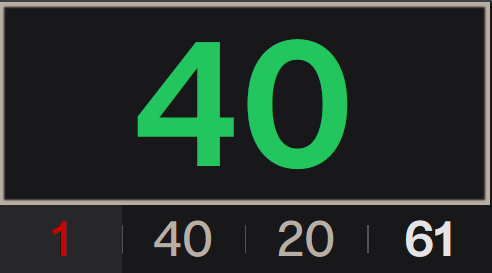 A menu will open to correct this dart:
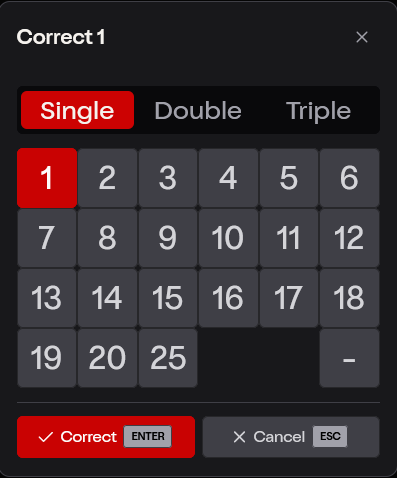
Adjustment after a throw (after pulling the darts out)
After throwing, click either “Correct” at the bottom of the screen or on the individual darts directly below the throw.
A window will open where you can correct the individual darts. Click on a suggestion or on the individual dart to correct it.
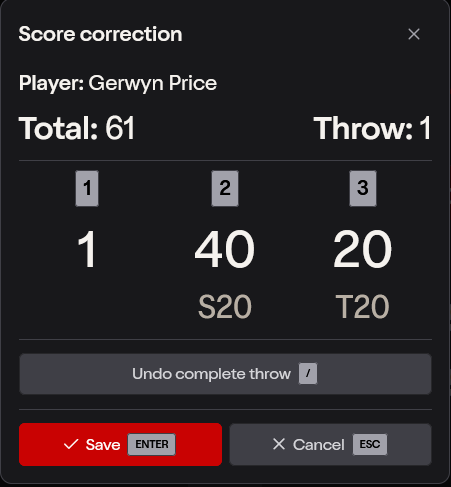
Score correction afterward via the scoreboard
You can also adjust a throw later by clicking on it in the scoreboard. Please note that you can no longer make adjustments here that will affect subsequent check throws.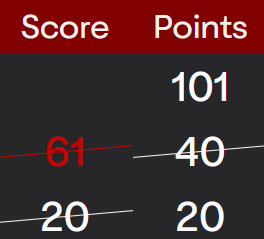 Clicking on any score allows you to correct it later.
War dieser Artikel hilfreich?
Das ist großartig!
Vielen Dank für das Feedback
Leider konnten wir nicht helfen
Vielen Dank für das Feedback
Feedback gesendet
Wir wissen Ihre Bemühungen zu schätzen und werden versuchen, den Artikel zu korrigieren