To use Scolia with the 3K Darts Scorer, you must have a compatible plan. Scolia is currently available with the 3K Classic and 3K Basic plans. It is not possible to use Scolia with the “Darts Scorer Team League” plan.
Additional fees are charged by Scolia for using Scolia with the 3K Darts Scorer (see https://dart-software.de/darts-scorer-zusatzgebuehren/)! These fees are billed at the end of each quarter, just like the Darts Scorer fees. You can view an overview of your fees at any time under Account Overview (https://portal.3k-darts.com/backend/account).
To set up your Scolia Boards, you must first register them with 3K Darts.
1. Setting up the Scolia Boards
Log in to 3K Darts using your usual login credentials (https://portal.3k-darts.com/backend).
In the menu, go to Masterdata -> Boards (https://portal.3k-darts.com/backend/masterdata/boards).
Now add your Scolia boards using the “New...” button. Enter the board number (number) and the serial number of the Scolia device, then click “Save”.
After adding them, your devices should appear in the list:

2. Creating and configuring a tournament with Scolia
Create a tournament as usual. The tournament details now include an additional section called “Scolia.”

Active: The 3K Darts Scorer uses Scolia when the setting is enabled
Competition mode: Calculates the points scored only after the throw. The darts thrown are not added up immediately.
Bull Shootout - Options
In the “Mode” tab, you can use “Match mode...” to set the options for the “bull throw” (determining the starting player by throwing the bull).
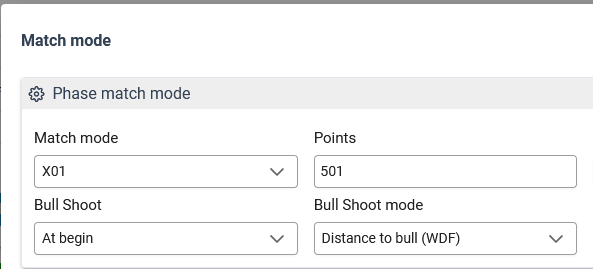
3. Configuration in the 3K Darts Scorer
Open the 3K Darts Scorer: https://scorer.3k-darts.com
The Darts Scorer will soon be available in the 3K app, allowing external monitors to be used with mobile devices and tablets.
Configuration of the Board number
To use the 3K Darts Scorer with 3K Darts, you must enter the board number in the settings.
Enter the board number (e.g., “1”) in the settings and save it.
Now click on the “3K Darts” button and log in with your Darts Scorer credentials.
Important: The Scolia board is only applied when you log in or select the client. If you configure a board later in the backend (Step 1), you must log back into the 3K Darts Scorer!
Play match with Scolia
You can tell by the Scolia icon on the left whether the game is being played with Scolia.
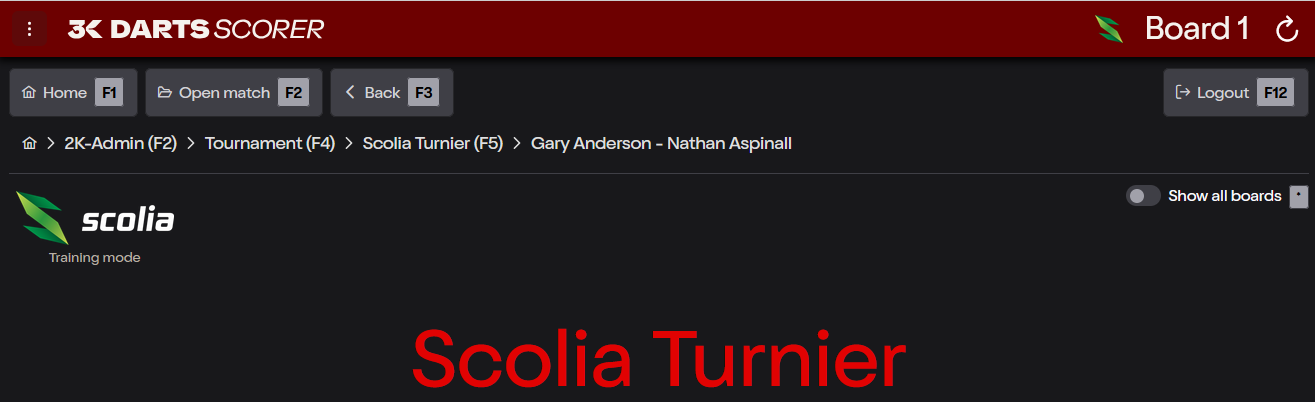
The icon at the top of the title bar (to the left of Board 1) indicates whether the Scolia board is ready. You can click on it to view more details or to recalibrate the board.
Every Scolia game is calibrated at the start. Make sure there are no darts stuck in the board during calibration!
War dieser Artikel hilfreich?
Das ist großartig!
Vielen Dank für das Feedback
Leider konnten wir nicht helfen
Vielen Dank für das Feedback
Feedback gesendet
Wir wissen Ihre Bemühungen zu schätzen und werden versuchen, den Artikel zu korrigieren